Library and Series
Series
Fleuron knows which of your books belong together. Books in a series sit on a shelf in reading order in the Library, share one Codex, and can list each other on their Also By pages. This article shows how to set up and manage a series.
Giving a book a series
In the book:
- Choose File ▸ Book Properties (Title Info)…, or click the book's title at the top of the contents list.
- Type the series name in Series Name.
- A Series Number box appears. Type the book's place in the series, such as 2.
Numbers can have a decimal, such as 2.5 for a novella between books 2 and 3.
Tip: Type the series name the same way in every book. Fleuron doesn't mind capital letters, but a different spelling makes a different series.
Putting books in a series from the Library
To put one book in a series:
- In the Library, click ⋯ on the book's cover and point to Series.
- Choose one of the author's series, or New Series… and type a name.
To put several books in a series at once:
- Click Select.
- Click the books in reading order. Each shows a number as you click it.
- Click Put in a Series…, type the series name (or the name of one you already have) and click Save Series.
The books join the series after any books already in it, numbered in the order you clicked them.
To change a book's number, click ⋯ on its cover and choose Series ▸ Number in Series…. To take it out, choose Series ▸ Not in a Series, or select several books and click Take Out of Series.
Series from file names
When you bring in a Word, Markdown or text file, Fleuron reads the series from the file's name. For example, "Iron Compass Book 3 The Copper Key" or "The Copper Key (Iron Compass #3)" comes in as book 3 of the Iron Compass series, titled "The Copper Key". A Vellum project brings its series with it. See Opening a Folder and Series.
If some books in your Library have a series in their title but aren't in that series yet, the Library shows a reminder. Click Sort Into Series…, untick any Fleuron got wrong, and click Sort Into Series.
Series in the Library
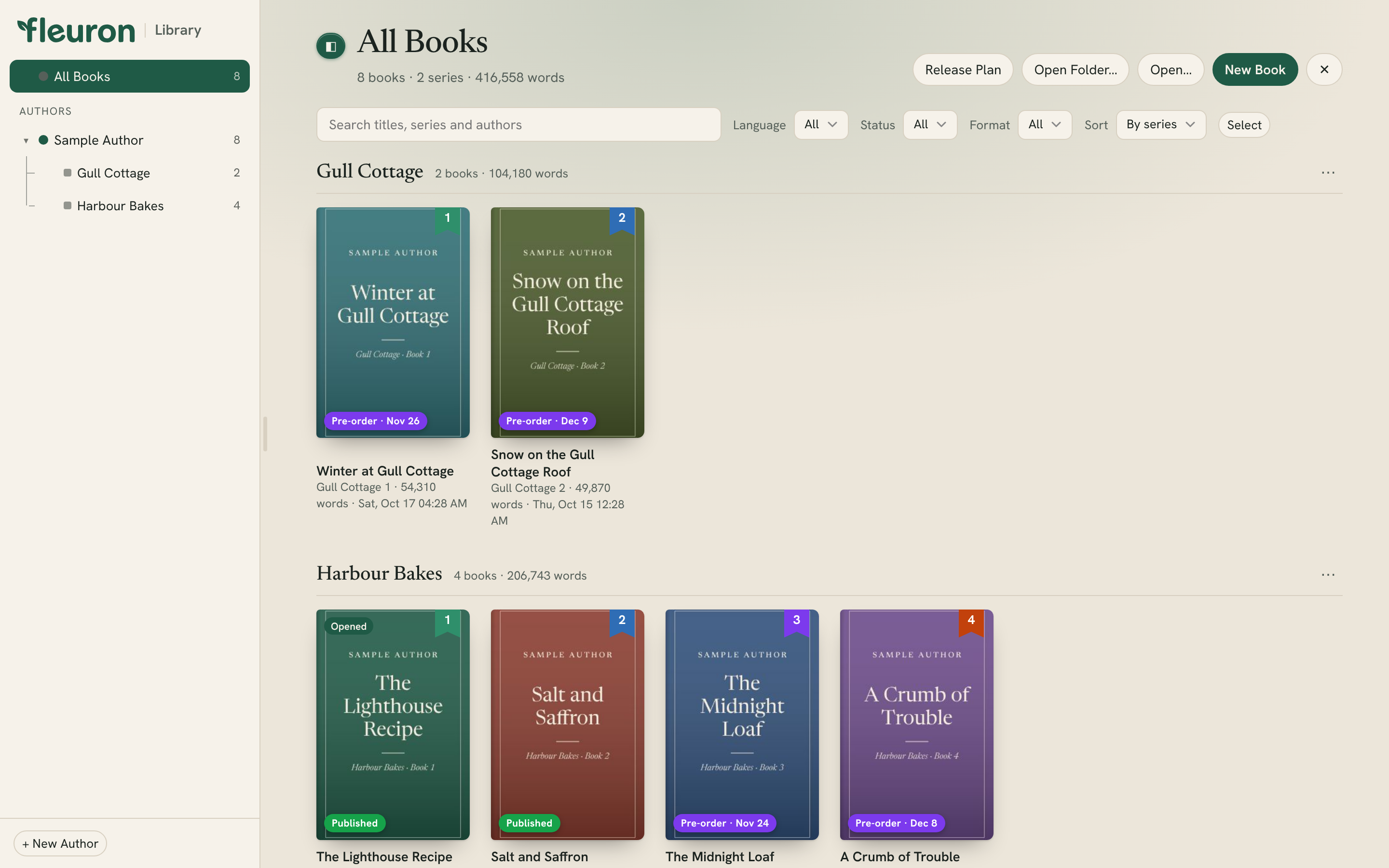
- Choose Sort ▸ By series to see a shelf for each series in reading order, followed by books that aren't in a series. By author shows each author's series shelves under their name.
- Each book's number shows on its cover in its own colour, so book 1, 2 and 3 are easy to tell apart.
- In the authors list, each author's series are listed under their name. Click one to show only that series.
Click ⋯ at the end of a series shelf for:
- Show Only This Series
- Rename Series…: renames it in every book in the series.
- Remove Series (Keep the Books)…: takes every book out of the series. The books stay in your Library.
What a series shares
The Codex
Every book in the same series, by the same author, shares one Codex: characters, places, items, lore and groups. Add a character in book 1 and they're there in book 2. See The Codex.
Back matter
An Also By page that keeps itself up to date can list only the books in this series, or only the next book. See Author Profiles and Back Matter.
Reused pages
You can reuse pages, such as an About the Author page, from one book of the series in the others and keep them linked. See Reusing Elements.
Box sets
Put several books of a series into one volume. See Creating a Box Set.
Tip: For a special edition, a picture can run across the printed edges of every book in a series, so the books make one picture on the shelf. See Printed Edges.