Library and Series
Reusing Elements
Many pages are the same in every book: your About the Author page, an Also By list, a newsletter offer, a map. Instead of copying them by hand, you can reuse them from another book in Fleuron. Reused elements stay linked to the book they came from, so when you change the original, Fleuron offers to update every copy. This article shows how.
Reusing elements from another book
- Open the book you want to add the pages to.
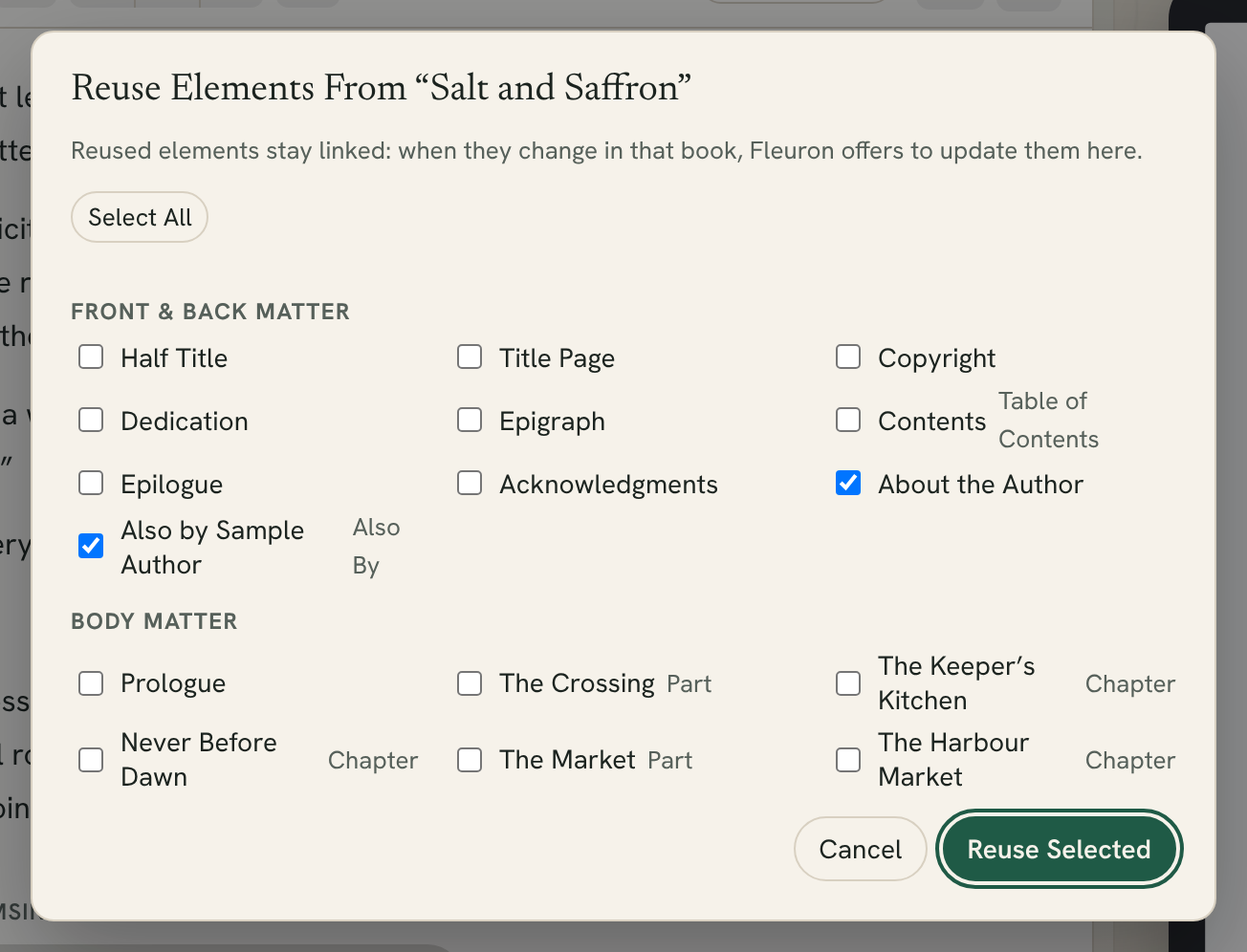
- Choose File ▸ Reuse Elements From and choose the book under Books in Fleuron. You can also click ⚙ ▾ at the bottom of the contents list and point to Reuse Elements From….
- Fleuron lists that book's elements under Front & Back Matter and Body Matter. About the Author and Also By pages are ticked for you.
- Tick the elements you want and click Reuse Selected.
Each element goes to its usual place in your book.
How reused elements work
A reused element is marked reused in the contents list. It's read-only: you change it in the book it came from, and bring the change in here.
When you select it, a bar above the text says which book it's reused from, with buttons:
- Open Source opens the original book, so you can edit the element there.
- Detach and Edit turns it into an ordinary part of this book that you can edit. It's no longer linked.
Tip: On an Also By page, Exclude the title of this book stays a choice for each book, so one Also By page can serve a whole series and leave each book off its own list.
When the original changes
When you change a reused element in its original book, the copy is marked changed in the contents list, and the bar above it says so. Click Update to bring in the new version.
Fleuron also asks when you generate: if reused elements have changed in their source books, it offers to update them before it makes your files.
The Reuse Summary
To see every reused element in a book at once, choose File ▸ Reuse Summary…, or click the reuse button at the bottom of the contents list (it shows how many elements are reused, or how many have changed).
For each element you'll see the book it came from and whether it's ✓ Up to date, Changed or Missing Source. Click Update or Detach for one element, or Update All to update everything that has changed.
Missing Source means the original book is no longer in your Library. The copy stays in your book; click Detach to make it an ordinary element.
Reusing from a Fleuron file
You can also reuse elements from a .fleuron file that isn't in your Library:
- Choose File ▸ Reuse Elements From ▸ Choose a Fleuron Project File….
- Choose the file, tick the elements and click Reuse Selected.
Note: Elements from a file are copied once, not linked. To keep them linked, open that book in Fleuron first so it's in your Library, then reuse from it there.
Reuse or self-updating back matter?
Fleuron has two ways to share back matter between books:
- Reusing, described here, works for any element. You edit the original and update the copies.
- Self-updating back matter fills in Also By, About the Author and Newsletter Sign-up pages from your author profile, and changes them by itself. See Author Profiles and Back Matter.
Box sets use reuse too, so a fix in one book can be updated in the box set. See Creating a Box Set.