Library and Series
Creating a Box Set
A box set puts several of your books into one, for example the first three books of a series. In Fleuron, each book becomes a volume in a new book, with its own title page, and its chapters numbered from 1 again. This article shows how to make one and keep it up to date.
Making a box set
- Choose File ▸ New Box Set….
- Tick the books to include.
- Put them in order with the ↑ and ↓ buttons.
- Choose your options (see below).
- Click Create Box Set.
The box set opens in its own window as a new book called My Box Set. Give it its real title in Title Info (File ▸ Book Properties (Title Info)…).
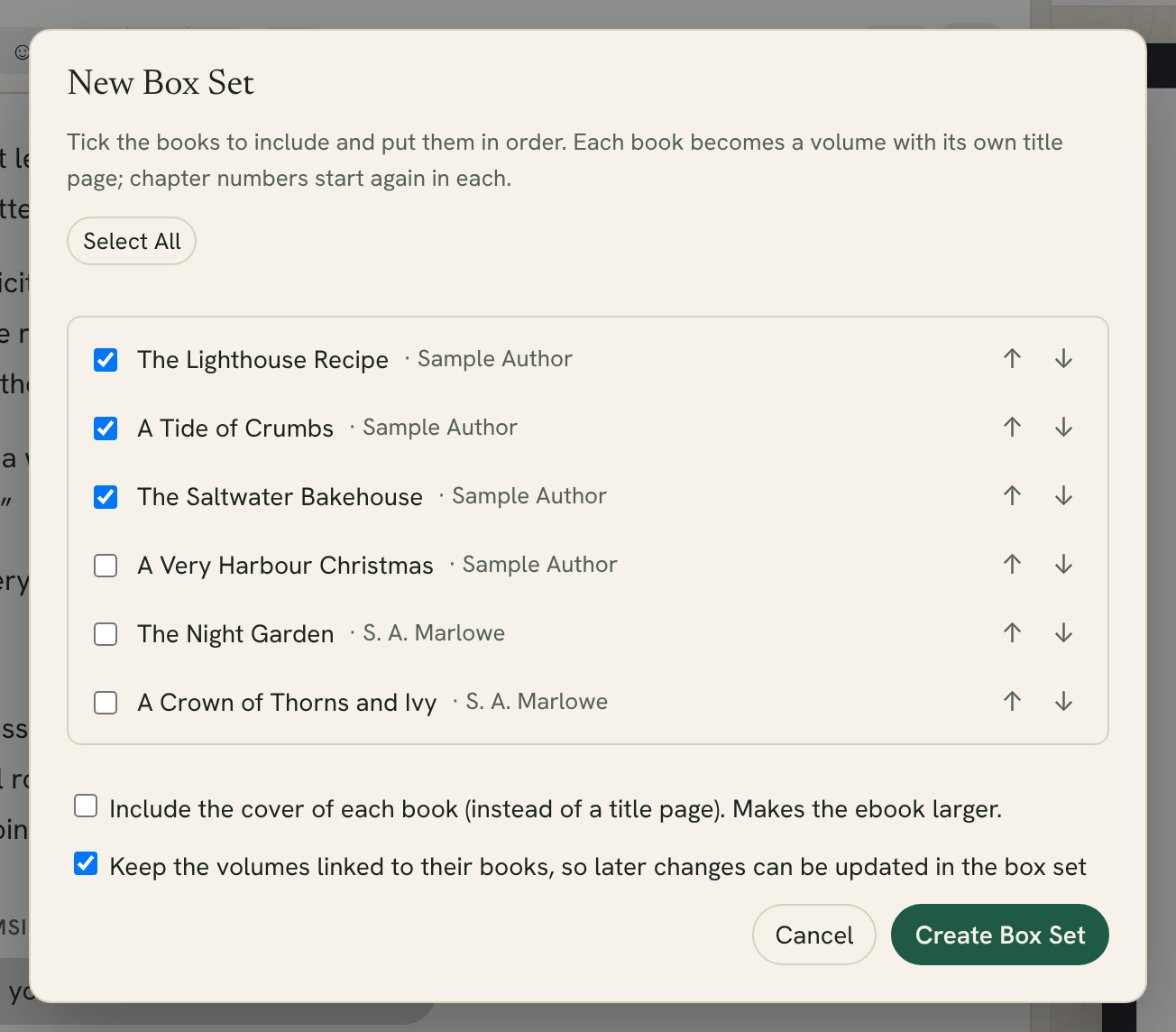
Options
- Include the cover of each book (instead of a title page). Each volume opens with the book's cover instead of a title page. This makes the ebook larger.
- Keep the volumes linked to their books, so later changes can be updated in the box set. Ticked at first. See below.
- Include the author of each book (the books have different authors). This appears only when the books you've chosen have different authors, such as an anthology.
What goes into the box set
- Each book becomes a volume, titled with the book's title (and subtitle).
- Each volume holds the book's chapters and its other front and back matter, such as a dedication or acknowledgments.
- Each book's own title page, half title, table of contents, copyright page and endnotes page are left out. The box set has its own title page, copyright page and table of contents, and one endnotes page if any of the books has endnotes.
- The box set takes its style, fonts and series name from the first book.
Chapter numbers start again at 1 in each volume.
Tip: Check the box set's copyright page and back matter. You may want one About the Author and one Also By page at the end of the whole set, rather than one in every volume.
Keeping the box set up to date
If you kept the volumes linked, everything in the box set is reused from the original books. When you fix a typo in book 2, the box set marks that chapter changed, and you can click Update to bring the fix in. Fleuron also offers to update changed elements when you generate.
Linked elements are read-only in the box set: edit them in the original book. To edit one only in the box set, select it and click Detach and Edit. See Reusing Elements.
Adding a volume by hand
You can also split any book into volumes yourself:
- Select the first chapter of the new volume in the contents list.
- Choose Chapter ▸ Create Volume from Selection.
Fleuron adds a volume before that chapter, holding it and the chapters after it up to the next volume. Give the volume a title.
Generating the box set
A box set is an ordinary book in Fleuron. Preview it, then generate its ebooks and print PDF like any other. See Generating Books.
Note: In your Library, you can give the box set an edition label, such as Box Set, to tell it apart from the single books. Click ⋯ on its cover and choose Edition Label….